What Should You Look for in Any Web Host?
Before you compare Philippine providers or look at pricing tables, you need to know what actually matters in a hosting provider. These five criteria are the same whether your server is in Singapore, Tokyo, or Manila.
Uptime: Your Website Has to Stay Online
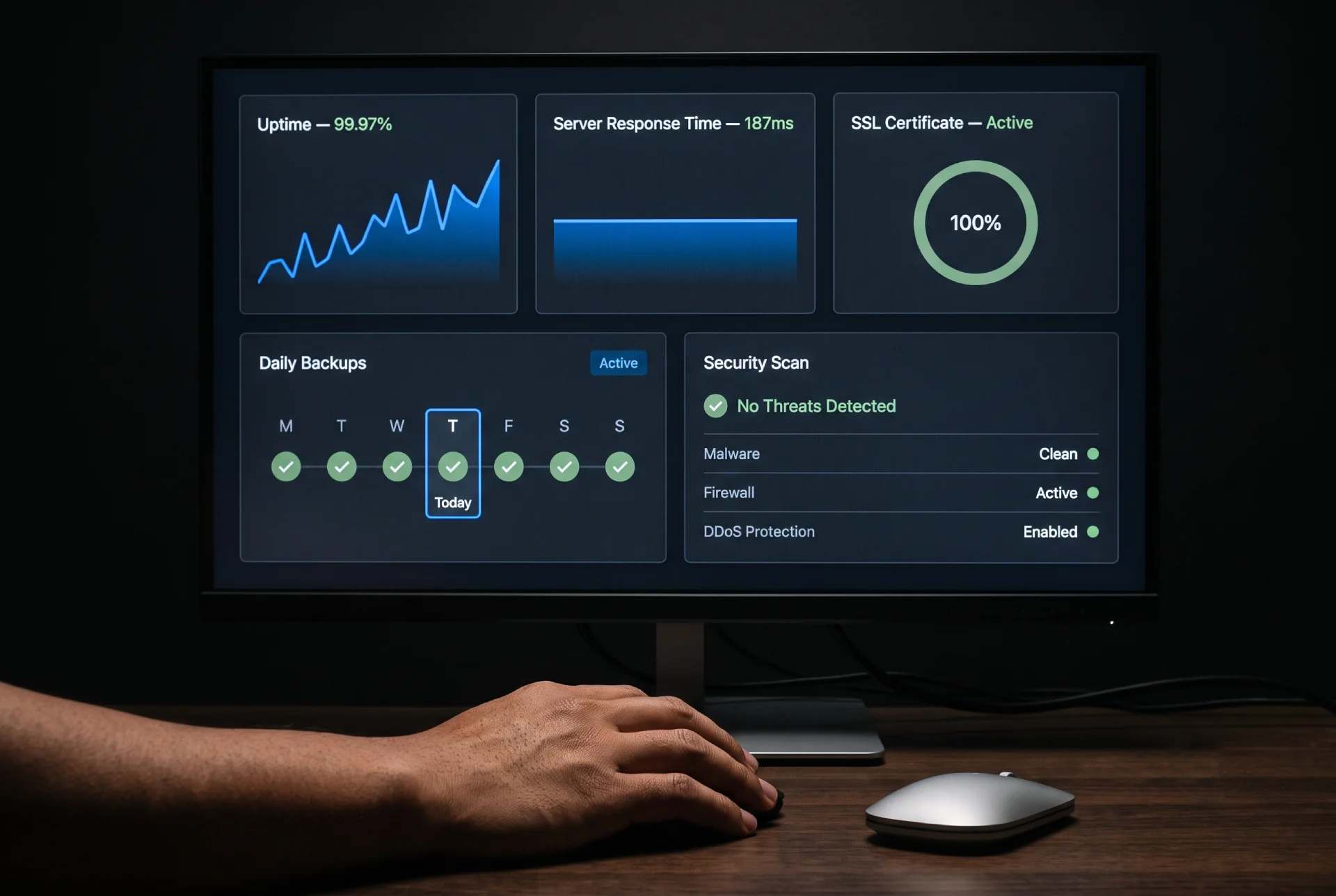
Uptime is the percentage of time your website is accessible. Nearly every provider advertises 99.9% uptime on their homepage. That number allows for roughly 8 hours and 45 minutes of downtime per year.
Here is what separates a real guarantee from marketing copy: the uptime commitment needs to appear in the terms of service or service level agreement, not just on the sales page. If a provider writes “99.9% uptime” on their landing page but the fine print says “best effort,” you have no recourse when your site goes down.
For a small business, every hour of downtime costs potential customers. Someone who visits your site during an outage is unlikely to return. They will click back to Google and find a competitor whose site loads.
Speed: Visitors Leave Slow Sites
Google’s mobile speed research found that 53% of mobile site visits are abandoned when a page takes longer than three seconds to load. The pattern has held consistent in the years since.
Your hosting provider affects load times through:
- Server response time. Shared hosting puts many websites on one server. If your neighbor on the server runs a poorly optimized site or gets a traffic spike, your site slows down with theirs.
- Data center location. The physical distance between your server and your visitors matters. A server in Singapore delivers content to Manila faster than a server in California.
- Resource allocation. Budget hosting plans limit RAM, CPU cores, and storage I/O. When your site outgrows these limits, load times degrade.
Security: What Should Be Included at No Extra Cost
In 2026, a hosting provider should include these security features in the base price:
- Free SSL certificate (the browser padlock that shows your site is secure)
- Automatic malware scanning
- Daily backups with one-click restore
- DDoS protection
- Web application firewall
If a provider charges extra for an SSL certificate, look elsewhere. Let’s Encrypt has offered free, automated TLS certificates for years, and any host still charging for one is behind. For ongoing security management, including regular updates, uptime monitoring, and backup verification, a dedicated web maintenance and hosting plan removes the burden of handling these tasks on your own.
Customer Support: Test It Before You Pay
Hosting problems rarely happen at 2 PM on a Tuesday. They happen late at night, on weekends, or right before a holiday sale when you need your site most. Your provider should offer 24/7 support through at least two channels.
Live chat is the baseline. Email ticketing should be the backup. Phone support is useful but less common among budget providers.
Test the support quality before you buy. Open a live chat and ask a pre-sales question. Note how long the response takes and whether the agent answers your actual question or pastes a script. If they are slow when they want your money, they will be slower after they have it.
Scalability: Plan for Growth
A five-page portfolio site and a 200-product e-commerce store have very different hosting requirements. Pick a provider that offers multiple hosting tiers so you can upgrade without migrating to a new company. Moving from shared to VPS or from VPS to cloud should be an internal upgrade, not a full website migration.
Which Web Hosting Works Best for Philippine Small Businesses?
The hosting market serving the Philippines has improved significantly. International providers now operate data centers in Singapore and Tokyo that serve Philippine traffic with low latency. Here is what matters when your customers are in the Philippines.

Which Data Center Location Is Best for the Philippines?
The closer your server is to your visitors, the faster your pages load. For Philippine audiences, here are the practical options:
Shared Hosting or Managed WordPress: Which Should You Choose?
This is the question I hear most often from small business clients. Here is the practical difference.
- Shared hosting places your website on a server alongside dozens or hundreds of other sites. All of you share the server’s CPU, RAM, and storage. It works well for a new business site getting a few hundred visitors a month. The risk: if another site on your server gets hacked or experiences a traffic spike, your site can slow down or go offline.
- Managed WordPress hosting is shared hosting configured specifically for WordPress. The provider handles WordPress core updates, server-level caching, security hardening, and often includes a staging site where you can test changes before publishing them. The server software stack is tuned for WordPress, which produces faster load times without extra configuration on your part. It costs more but reduces the time you spend on maintenance. If you are planning to launch a WordPress site, read my guide on how to publish a WordPress website, it covers the complete process from purchasing hosting to making your site live.
My recommendation for Philippine small businesses: start with shared hosting if your budget is tight and your site is simple. Move to managed WordPress hosting when your traffic becomes consistent, you add e-commerce functionality, or you decide you do not want to handle WordPress updates yourself.
Google’s published documentation identifies several ways that hosting quality influences search rankings.
- Server response time (Time to First Byte) is measured from the moment a visitor requests your page to the moment your server sends the first byte of data back. Google recommends keeping this under 200 milliseconds. Budget shared hosting can push TTFB above 500ms during peak hours, which degrades your Core Web Vitals scores.
- Uptime and crawling. Googlebot crawls your site on a schedule determined by your site’s size and update frequency. If your site is unreachable when Googlebot visits, those pages skip a crawl cycle. Repeated downtime reduces your crawl frequency, which means new content takes longer to appear in search results.
- SSL and HTTPS. Google uses HTTPS as a ranking signal, and browsers display security warnings for sites without valid SSL certificates. Most hosting providers include free SSL certificates through Let’s Encrypt. If your certificate expires because your host does not auto-renew it, your site shows a warning that drives visitors away and signals to Google that your site may be compromised.
- Shared IP reputation. On shared hosting, your site uses the same IP address as every other site on the server. If one of those sites sends spam emails or hosts malware, the shared IP can be added to blocklists. VPS and dedicated hosting plans typically include a dedicated IP address that isolates your reputation.
What Is the Best Cloud Hosting for Small Businesses?
The best cloud hosting for a small business is a plan that scales resources automatically while charging you only for what you use. Cloud hosting spreads your site across multiple servers, so a traffic spike does not take it down the way it can on a single shared server. For small businesses, the practical value is that you pay a modest amount during normal traffic and your site stays online when a promotion or a viral post sends extra visitors your way.
What Are the Best Web Hosting Sites for Small Business?
The best web hosting sites for a small business are the ones that combine free SSL, automatic daily backups, 24/7 support, and servers close to your customers, not the ones with the lowest advertised price. For Philippine businesses, that usually means a provider with a Singapore data center and entry-level pricing. Hostinger and SiteGround both meet these criteria, and local providers add the convenience of peso billing and Filipino-speaking support.